Product

Everything tabl does

Who it's for
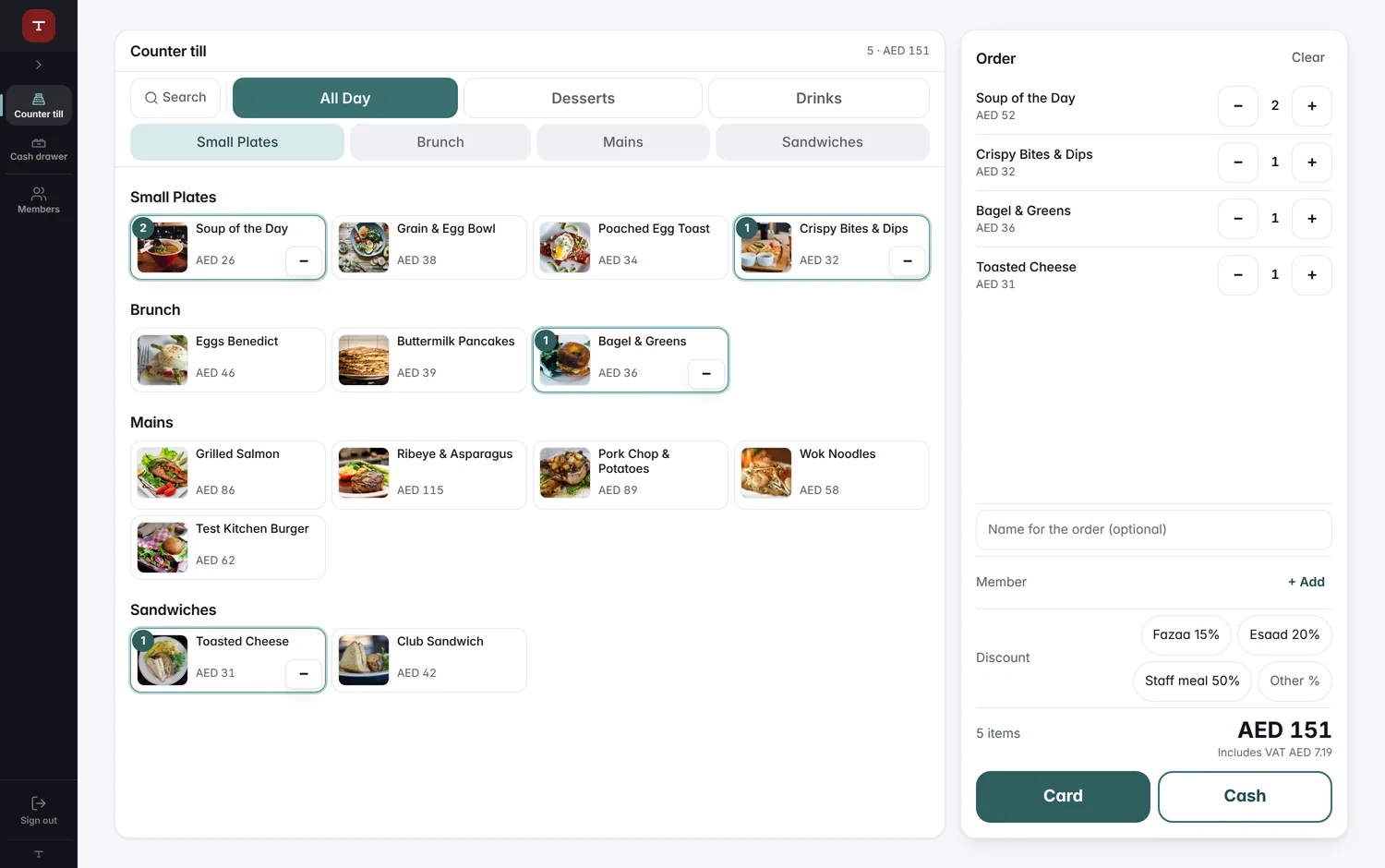
The cashier's counter: the menu as photo tiles and the order beside it

Cafés

  • Counter orders
  • Member cards
  • QR ordering
  • Cash drawer
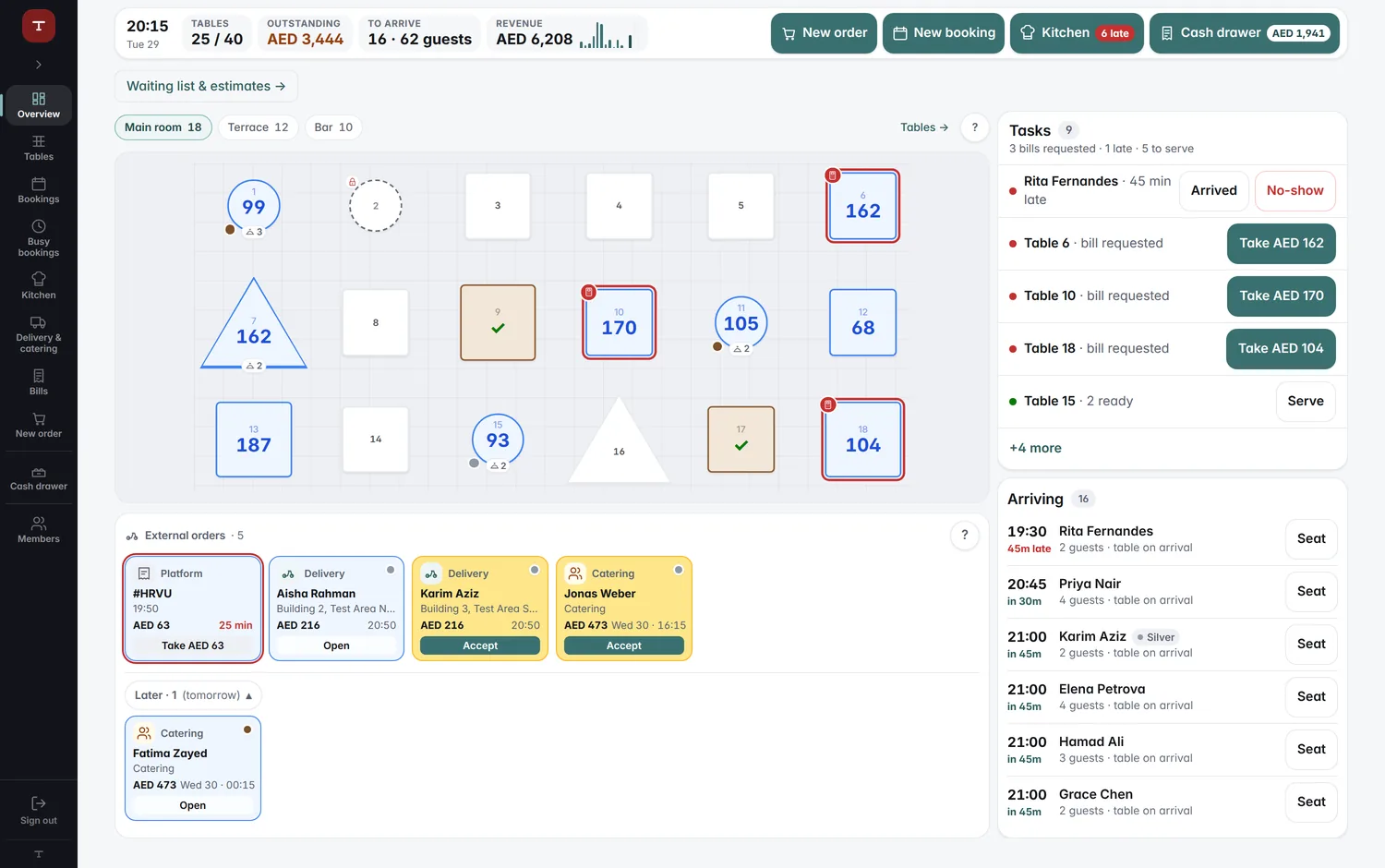
The reception desk: the room's tables, what is ready to serve and tonight's arrivals

Restaurants

  • Floor plan
  • Pre-orders
  • Kitchen board
  • Reports

Who it's for

Staff, roles & settings

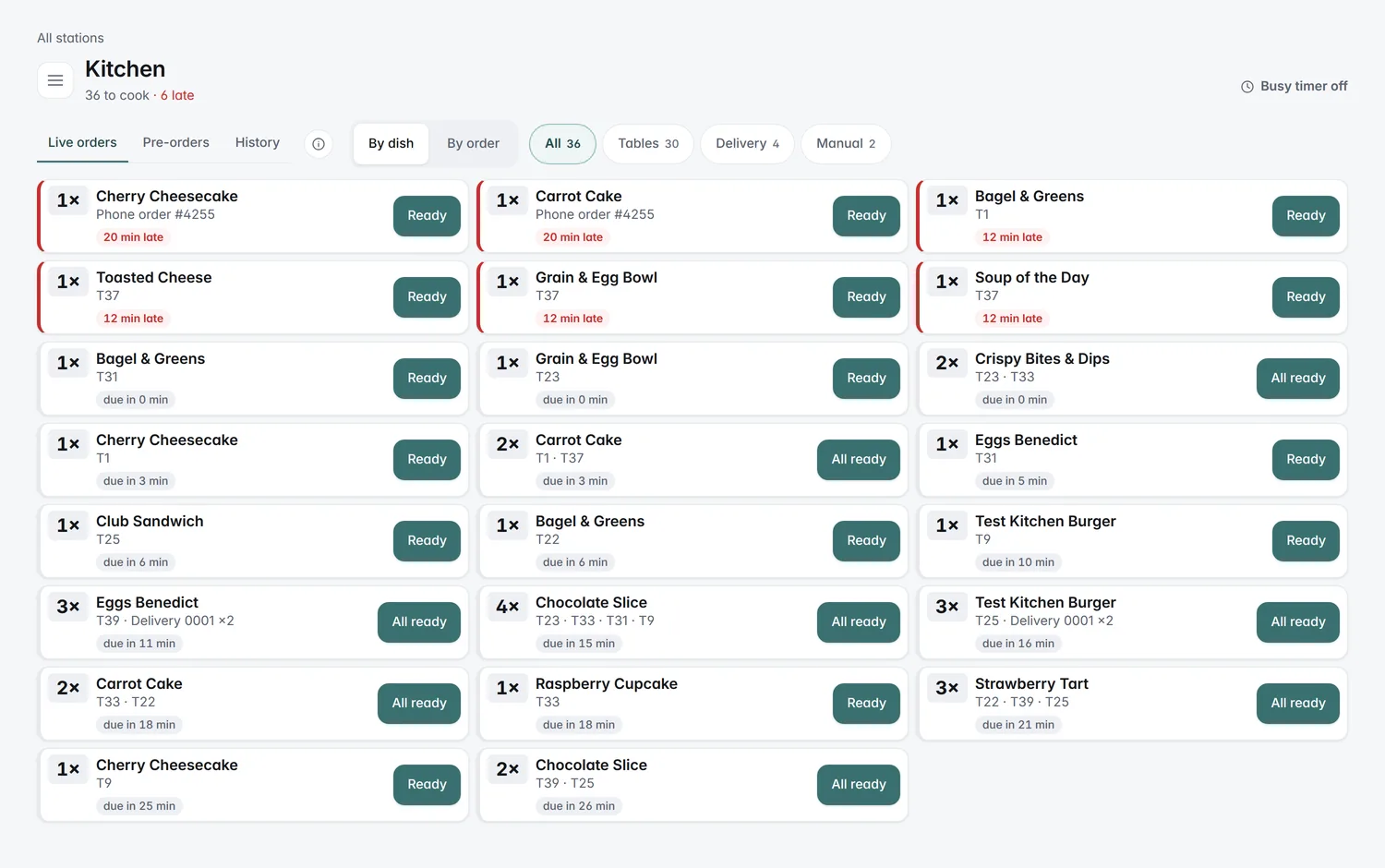
The kitchen board: every dish by the minute it must start.
  • Staff access
  • Change history
  • Multiple venues

Step by step: Every venue on one screen

Loyalty program
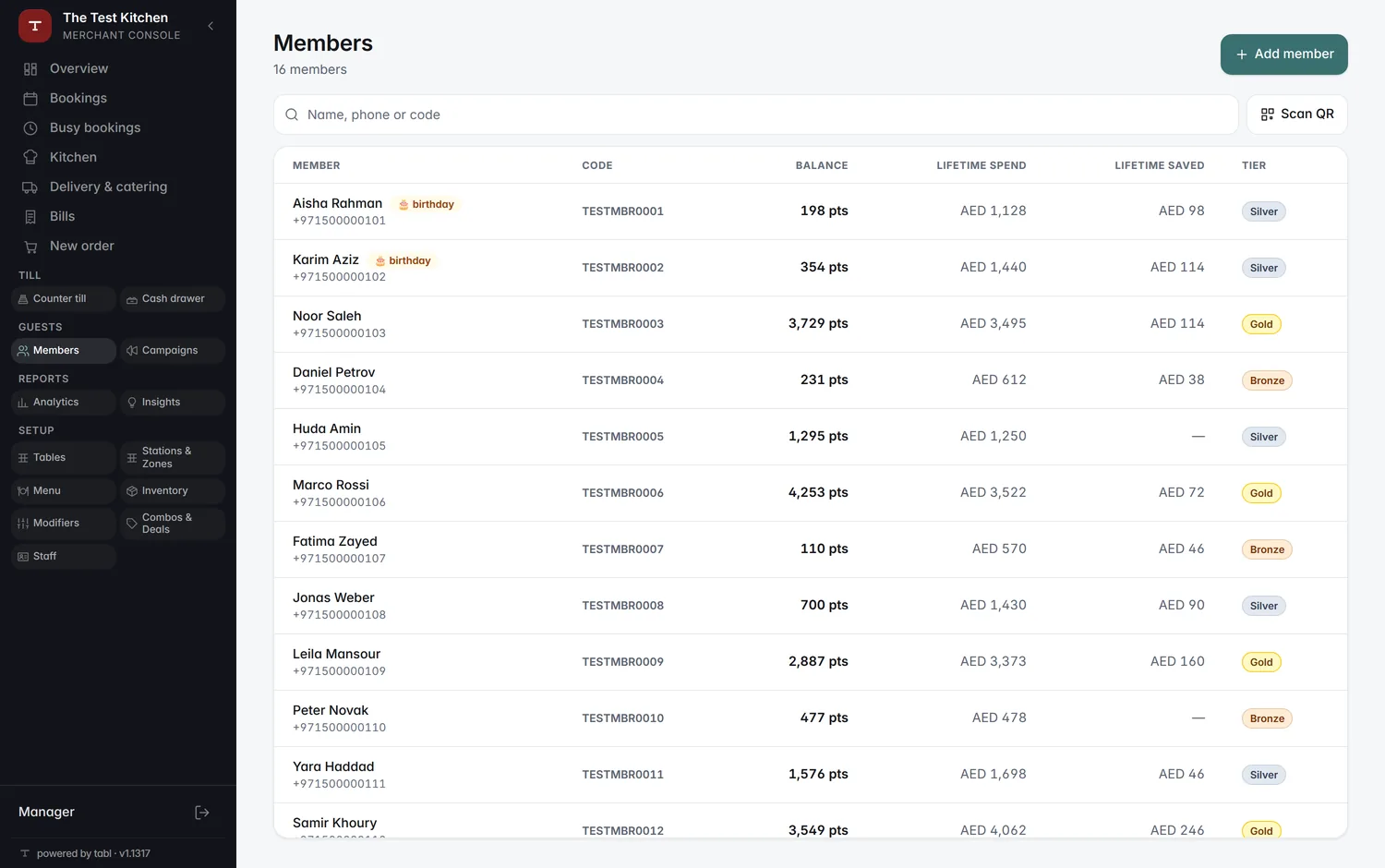
The members list: balances, tiers and lifetime spend
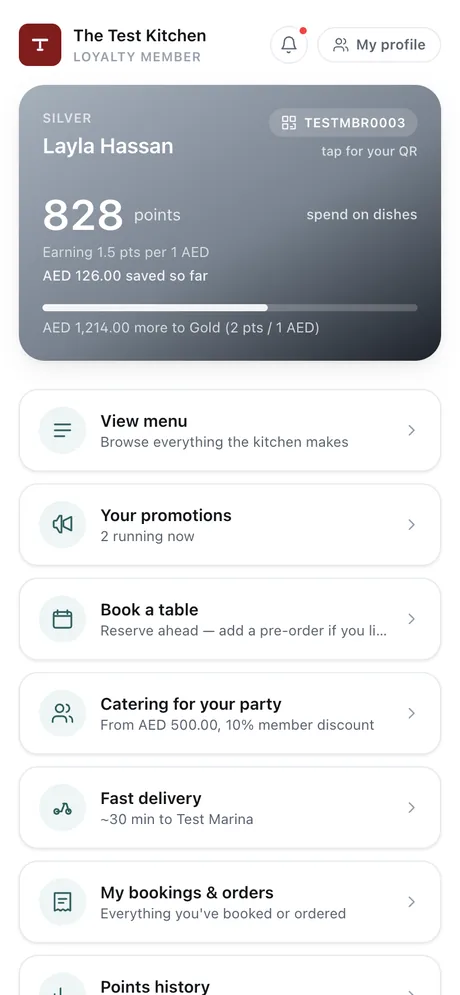
The member's card on their phone: points, tier and progress

Step by step: Guest becomes a regular · Regular pays ahead

Ordering & paying
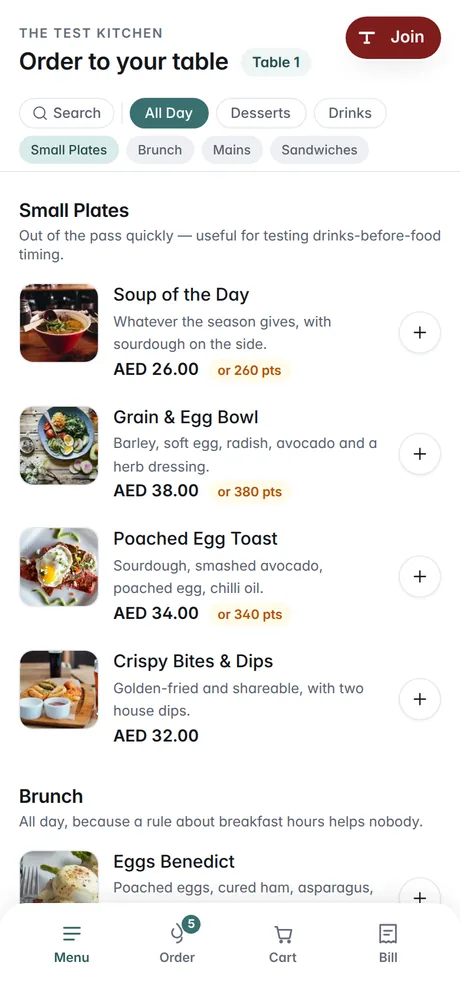
The digital menu on the guest's phone at table 1
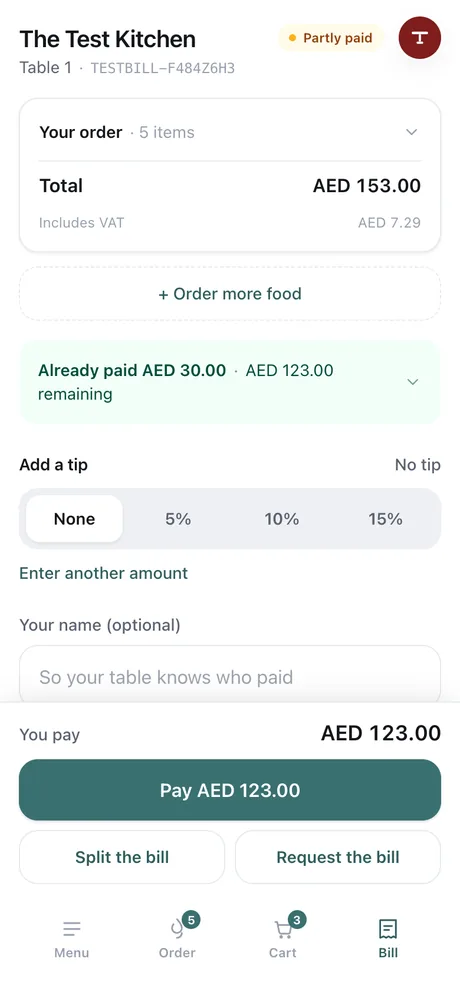
The bill on the guest's phone with split, tip and pay
  • QR ordering
  • Order tracking
  • Split payments
  • Request bill

Step by step: Guest sits down and orders · Paying the bill

Kitchen & floor
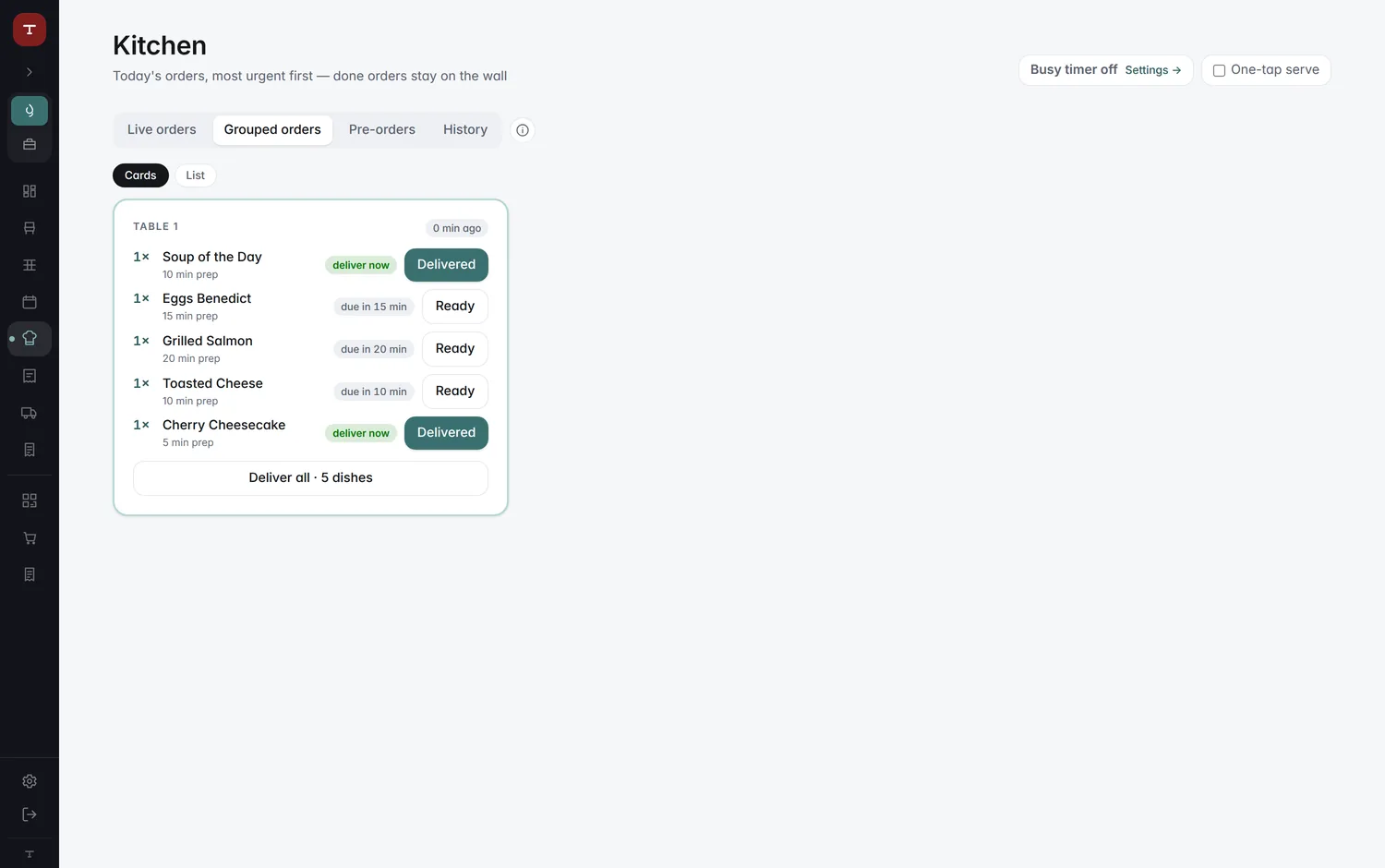
The kitchen's grouped orders: table 1's five dishes, two ready to deliver
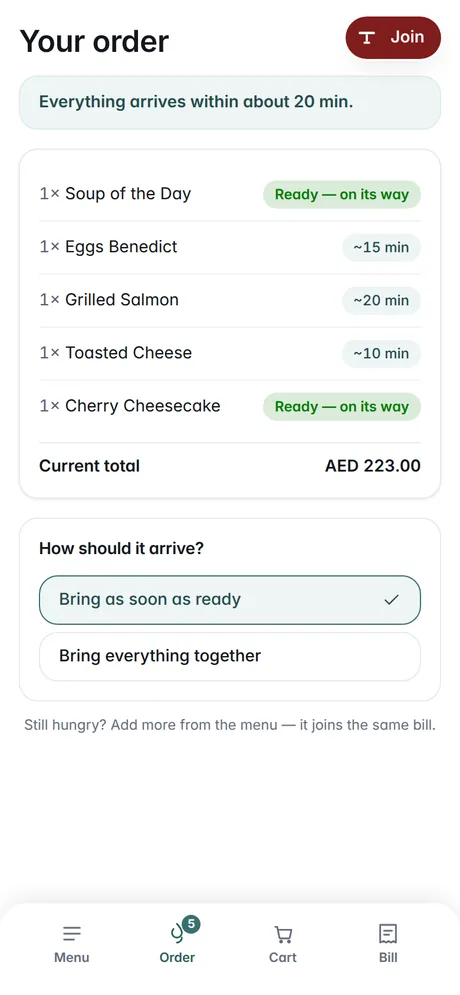
The same order on the guest's phone, two dishes on their way
  • Kitchen boardWatch
  • Waiter's phone
  • Floor plan
  • Counter salesWatch

Step by step: Three screens, one order · A busy restaurant · Walk-up at the counter

Bookings & pre-orders
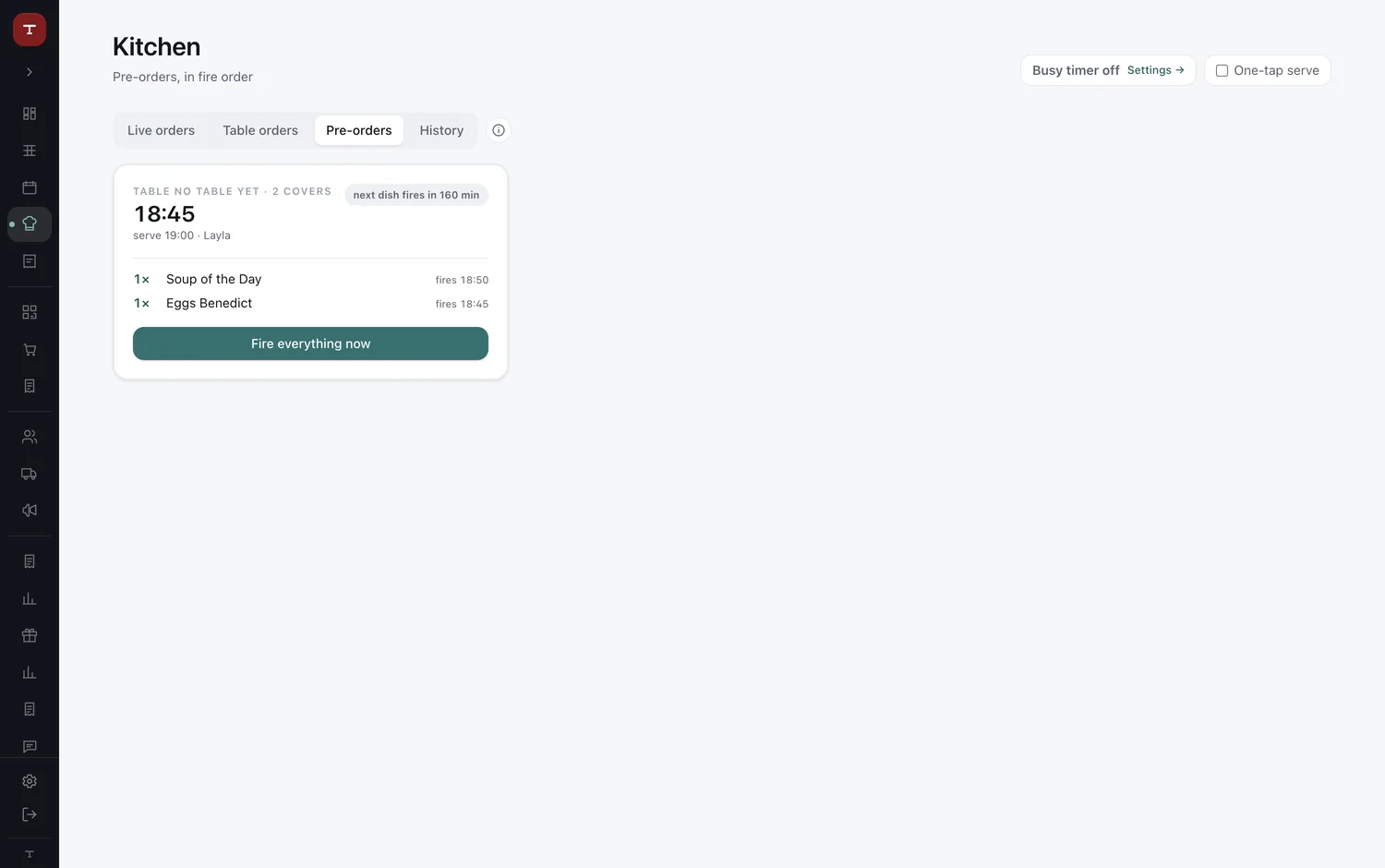
The kitchen's pre-orders: Layla's 19:00 booking, each dish with its firing time
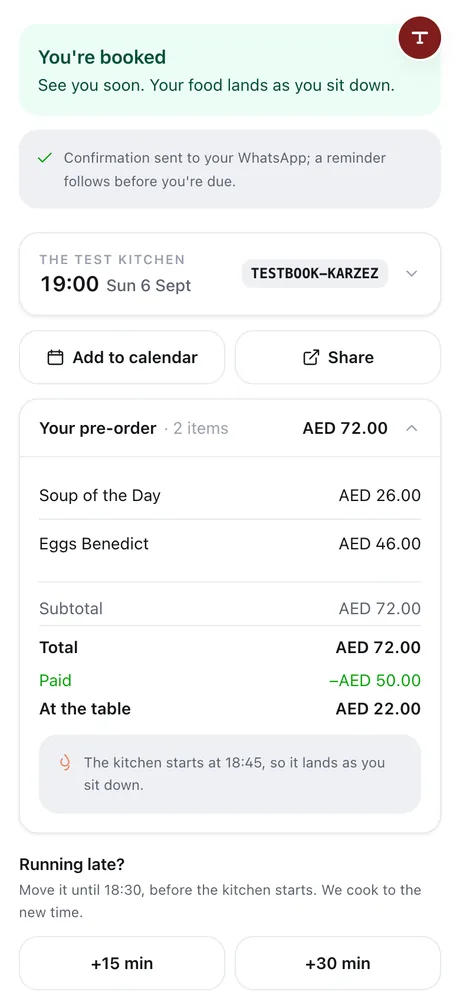
Layla's booking for 19:00 on her phone, with the same two dishes
  • Reservations
  • Order aheadWatch
  • Guest reminders
  • Manage arrivals

Step by step: Booking becomes dinner, on time

Delivery & catering
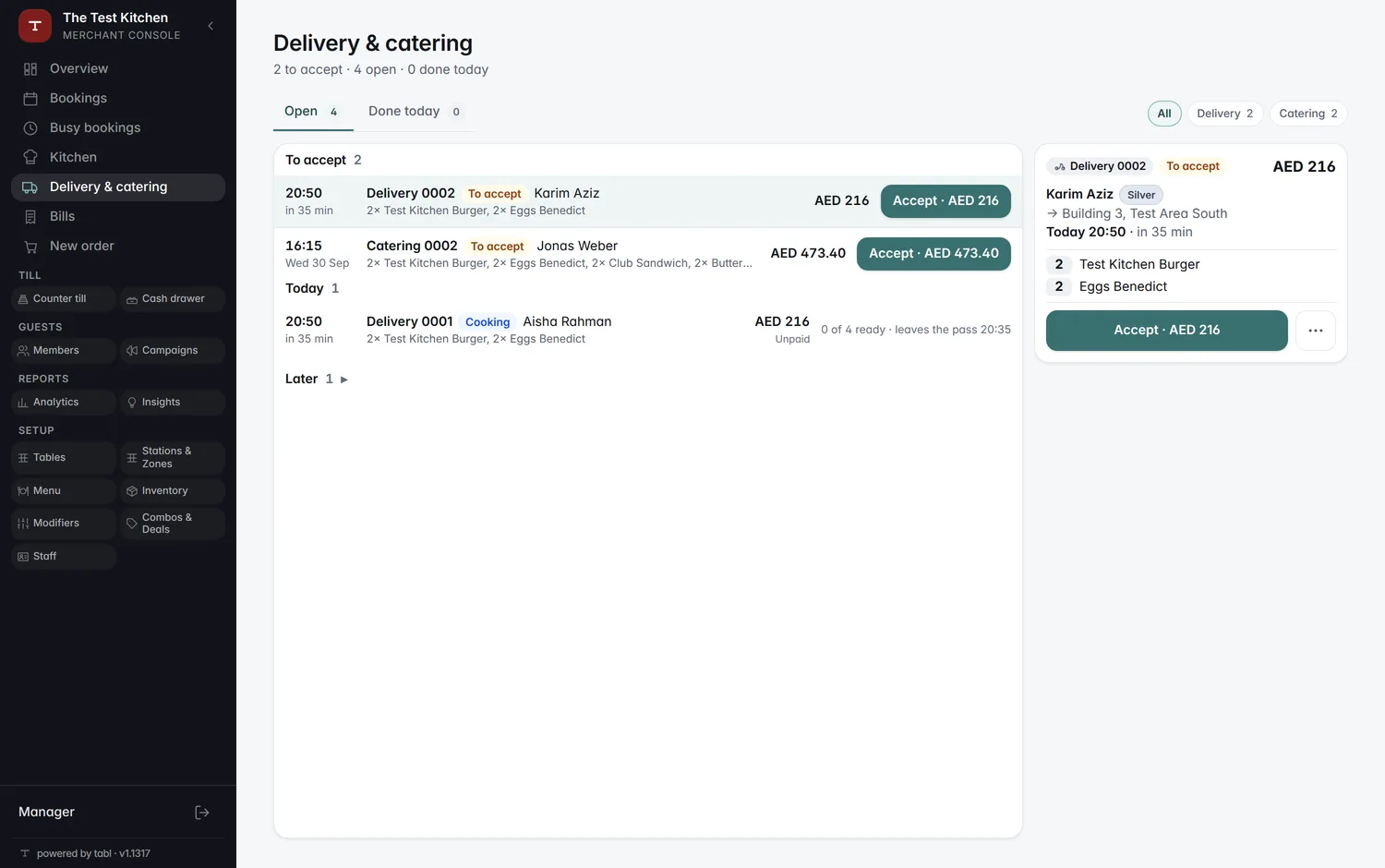
The catering and delivery board: created, confirmed, prepared and delivered
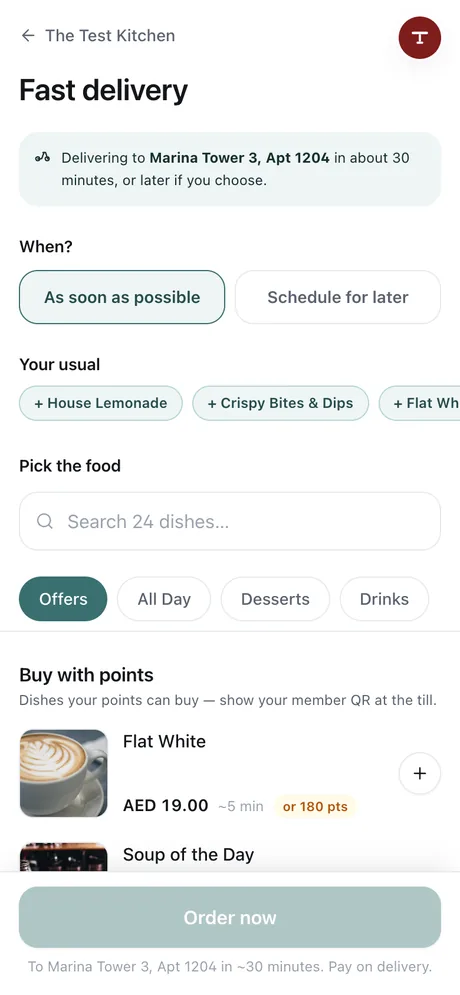
A member ordering delivery on their phone: as soon as possible or later, their usual dishes
  • Delivery
  • Catering
  • Order approval
  • Member updates

Step by step: Delivery and catering

Analytics & insights
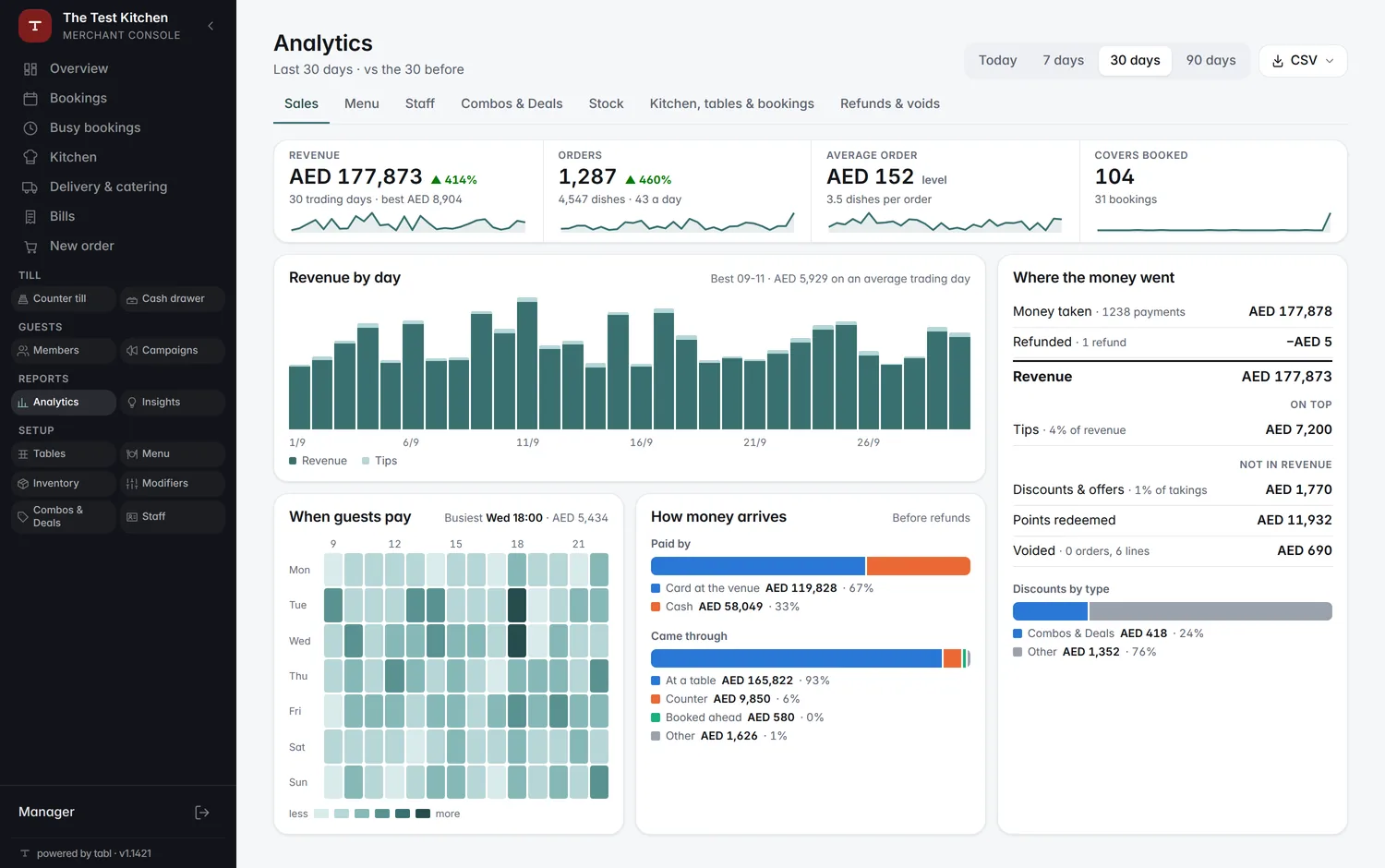
Analytics: revenue, orders, average order and covers, and where the money went

Step by step: Every venue on one screen · Campaign brings them back

Campaigns & offers
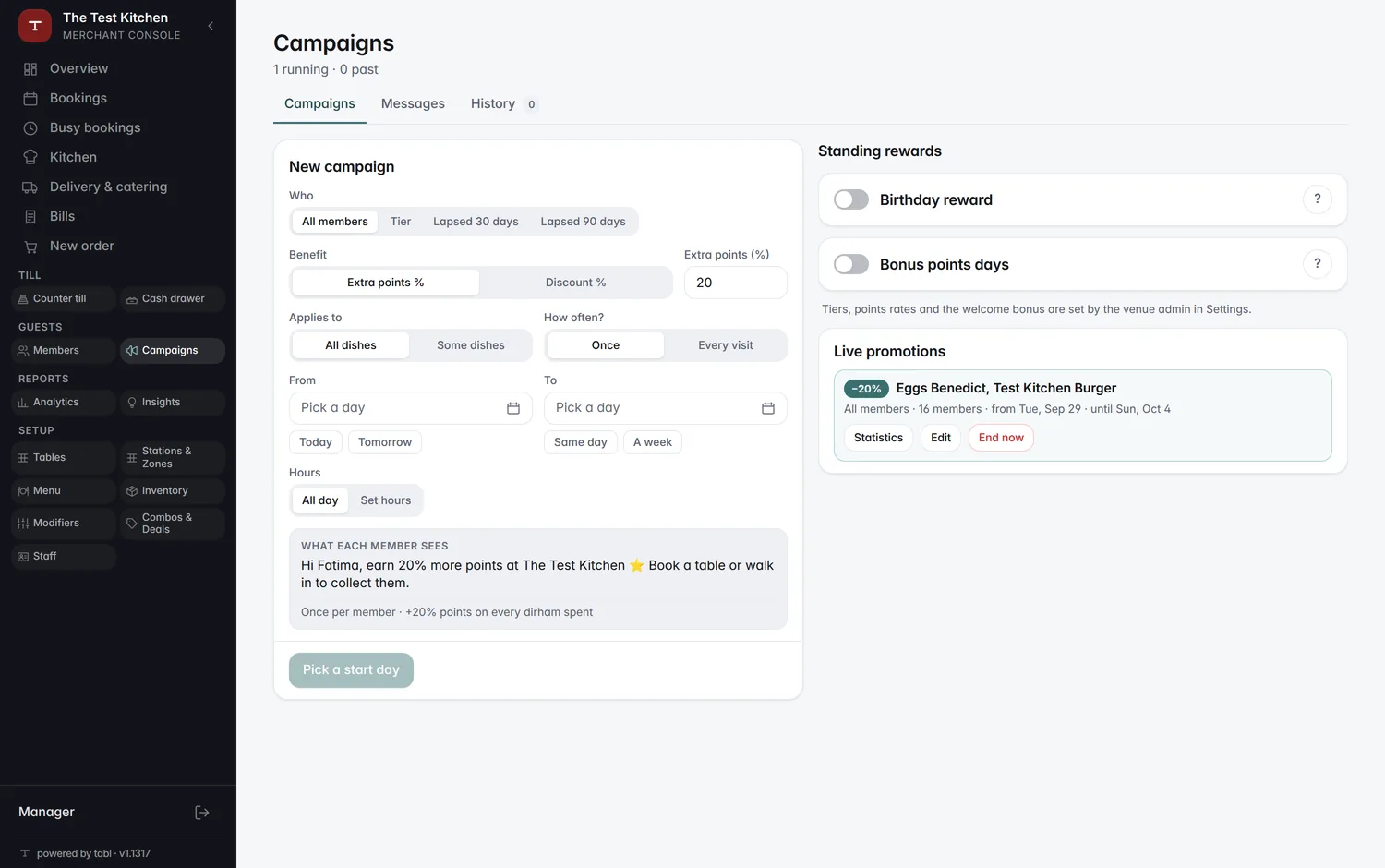
Building a campaign: dishes, discount, dates and audience
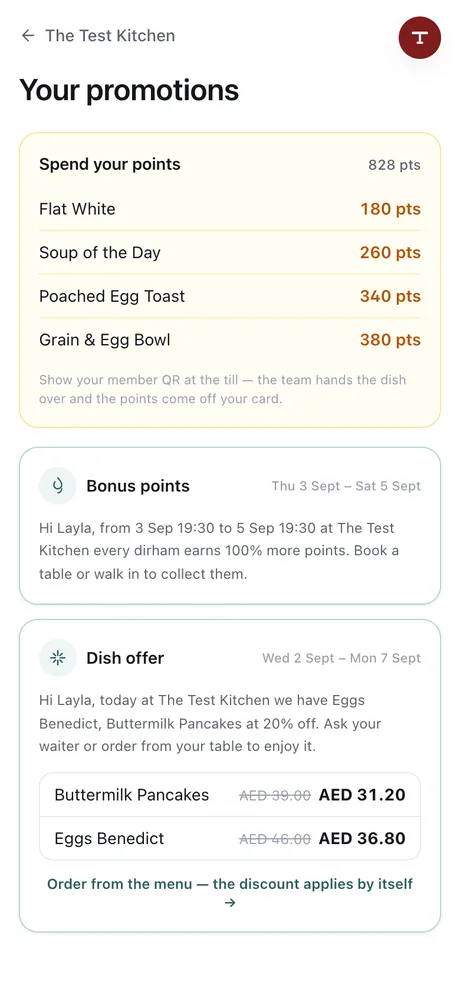
The member's promotions on their phone
  • Targeted offersWatch
  • Automatic discounts
  • Member gifts

Step by step: Campaign brings them back
WhatsApp

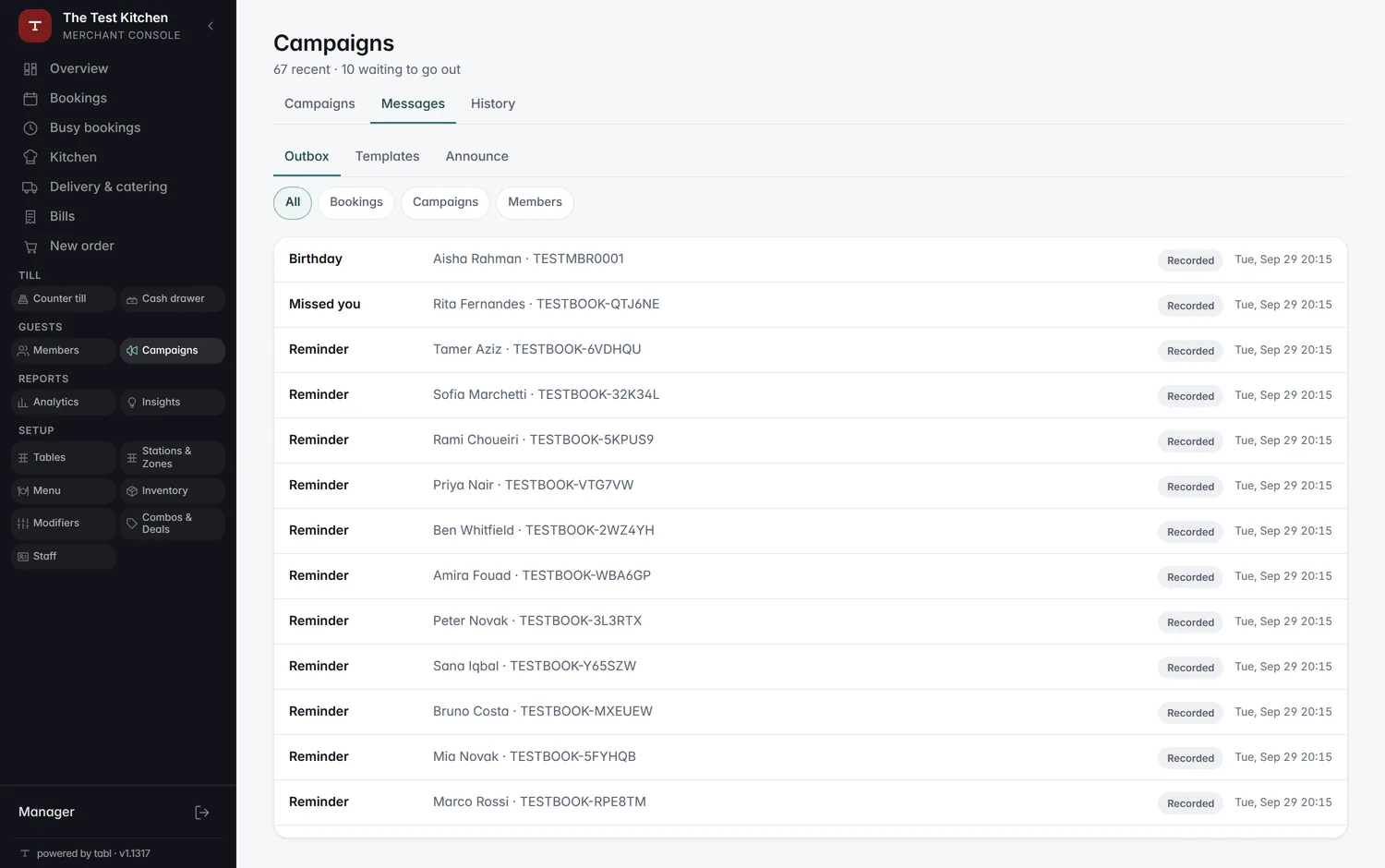
Guest messages: the outbox with reminders, a missed-you note and a birthday greeting
  • Order updates
  • Member messages
  • WhatsApp setup
  • Message status

Step by step: Payments and messages, your way

Inventory & cash drawer
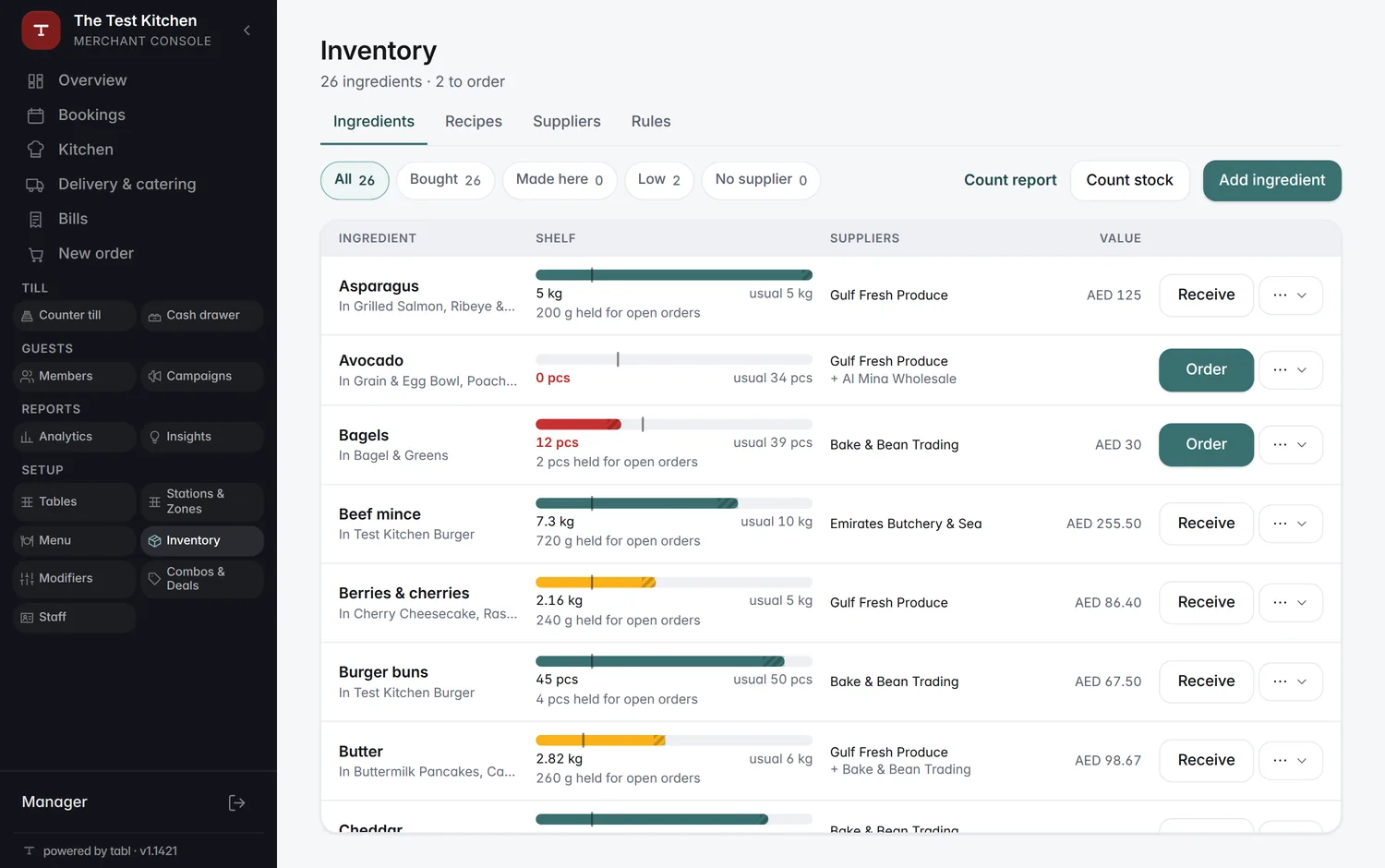
The stock list with ingredients running low
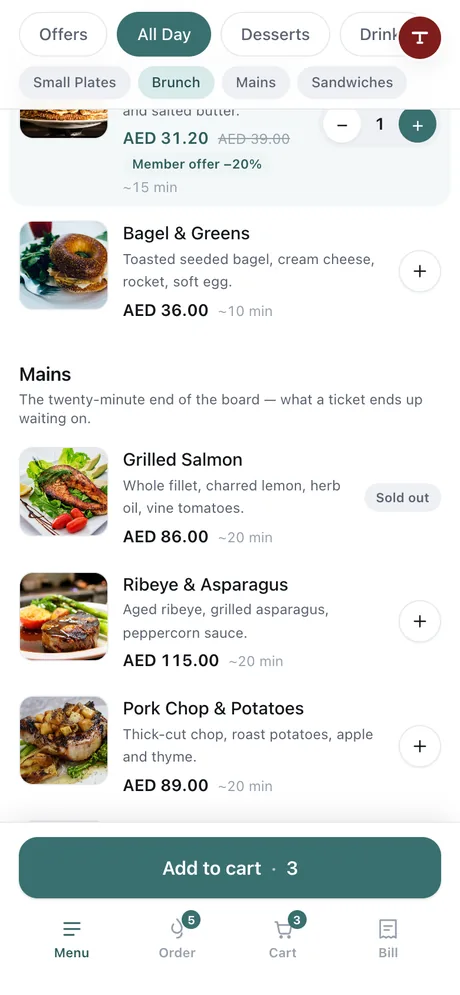
A sold-out dish on the guest's menu
  • Track ingredientsWatch
  • Low-stock alerts
  • Restock
  • Cash drawer

Step by step: Managing stock

Payments & integrations
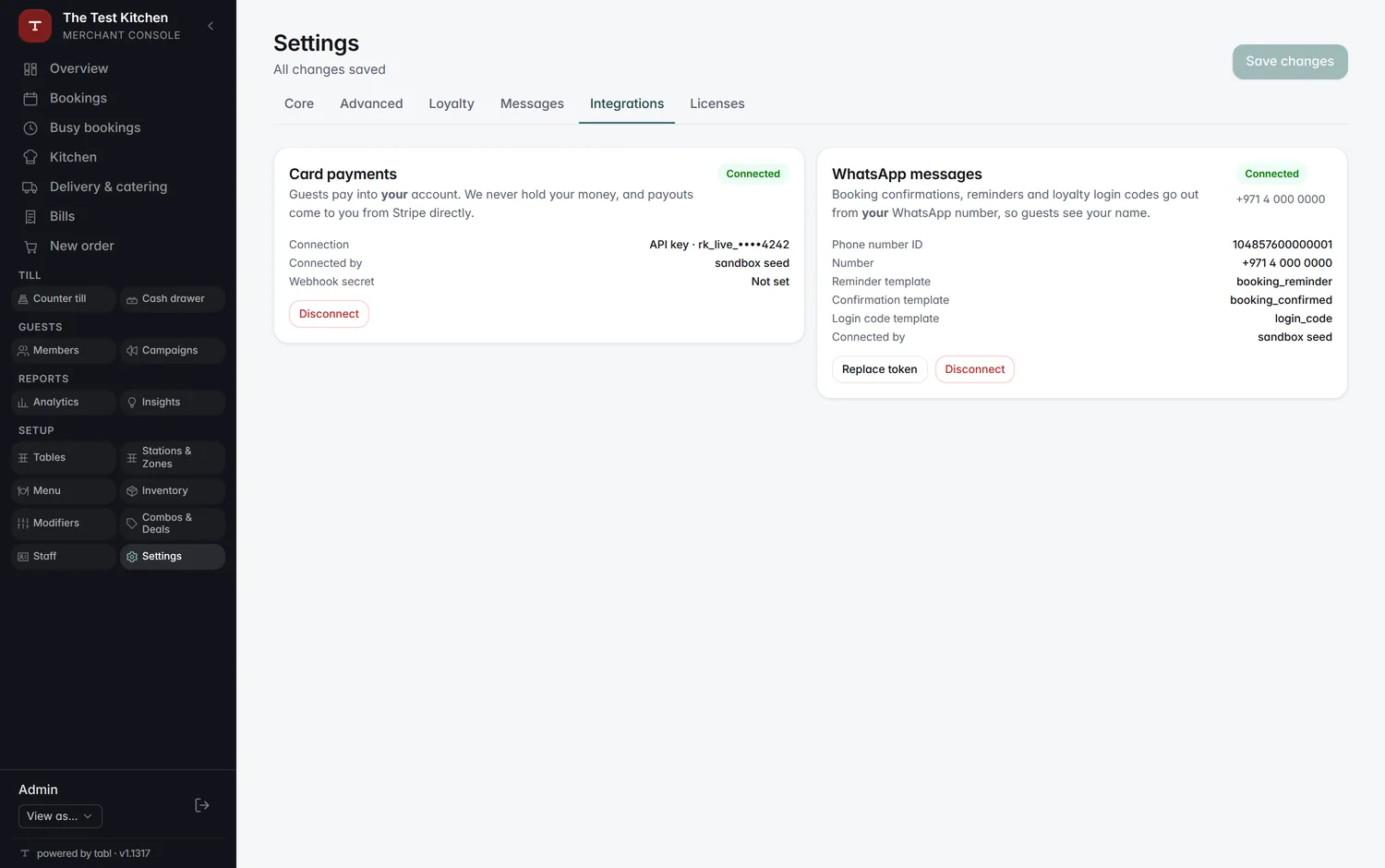
Settings → Integrations, with the payment and WhatsApp accounts
The bill on the guest's phone with split, tip and pay
  • Online payments
  • Offline payments
  • Existing POS

Step by step: Payments and messages, your way

See it on your own menu

What are my options?